WordPress · Reconstruction
Augustino Brothers
Archived Website Rebuild
Reconstructed a responsive WordPress website from incomplete historical captures, rebuilding the missing structure and interpreting mobile behavior without a supplied responsive design.

01 · Overview
Rebuild what survived.
Augustino Brothers needed a new WordPress implementation of a website that was no longer available as a complete working source. I used archived screenshots and historical references to recover its visual direction, page structure, and repeated design patterns within the agency’s custom WordPress theme.
02 · The challenge
Infer what was missing.
The archived material showed fixed moments rather than a complete design system. It did not provide reusable code, responsive specifications, or dependable references for every internal page. I had to determine how the original layouts were structured and how they should adapt at screen sizes that had never been designed.
03 · What I built
Turn evidence into structure.
I rebuilt the homepage and internal pages in WPBakery, recreated service sections, forms, testimonials, FAQs, navigation, and footer content, and established responsive behavior across the site. Where references were incomplete, I extended the existing visual language rather than inventing an unrelated replacement.
04 · Result
A lost site, made usable again.
The completed build preserved the recognizable identity of the original website while giving it a functional WordPress structure and a fully reinterpreted mobile experience. The project demonstrates visual reverse engineering, responsive judgment, and the ability to build confidently from imperfect evidence.
Selected build evidence
Reconstruction, from reference to responsive system.
Archived evidence, rebuilt page structure, responsive navigation, reusable interactions, and the finished conversion path.
01 · Visual reconstruction
Compare the surviving reference with the rebuilt system.
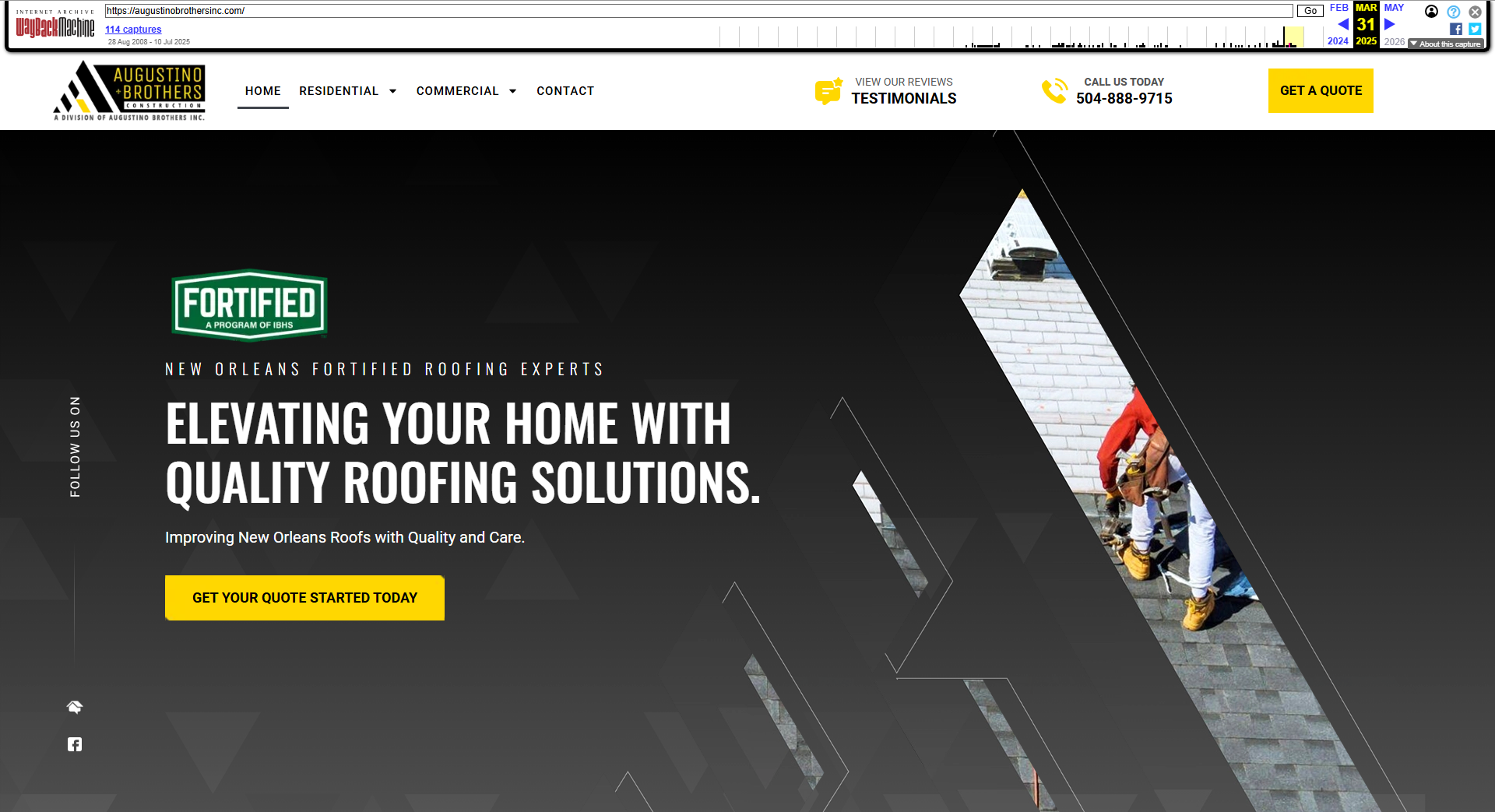
The archived capture supplied a visual target, not reusable code or responsive rules. The finished WordPress homepage preserves the angular identity, black-and-yellow palette, navigation hierarchy, and roofing imagery while restoring a maintainable site.

02 · Navigation across scales
Keep a larger service site understandable.
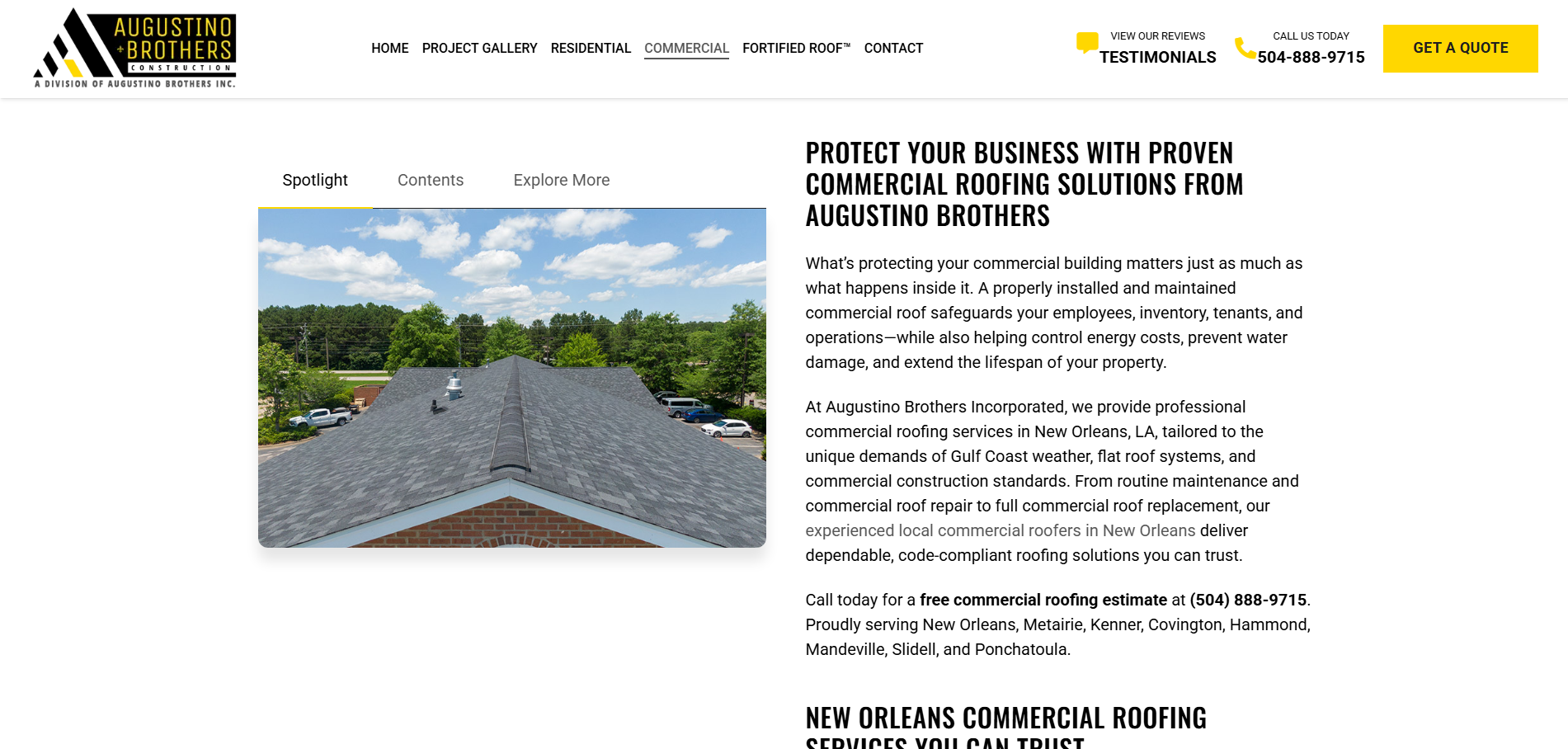
Desktop service pages use a local navigator to expose page structure, while the mobile menu translates the broader route system into a compact touch interaction.
03 · Responsive interaction
Rebuild repeated UI for more than one viewport.
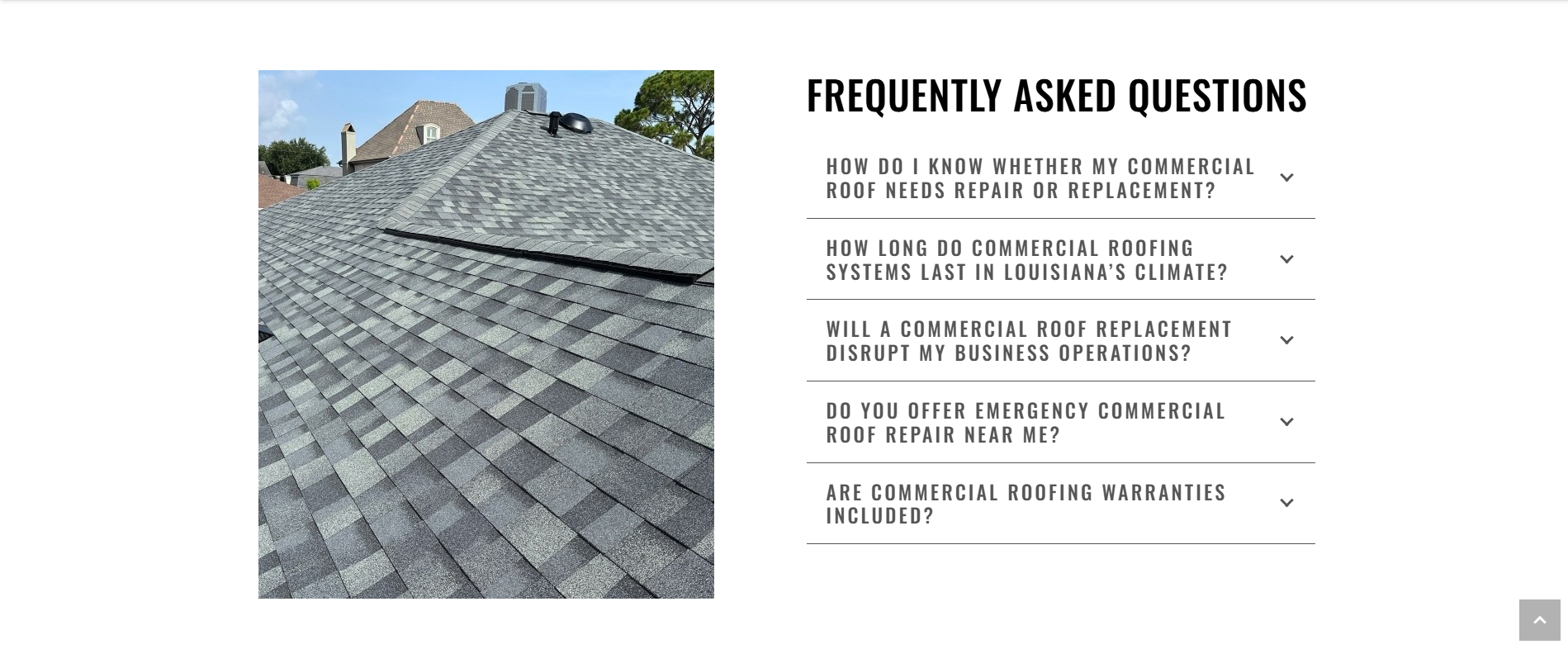
The FAQ becomes a balanced desktop composition and a compact mobile disclosure pattern. The same content remains scannable without freezing the archive’s desktop assumptions in place.
04 · Conversion close
Carry the visual language through the final action.
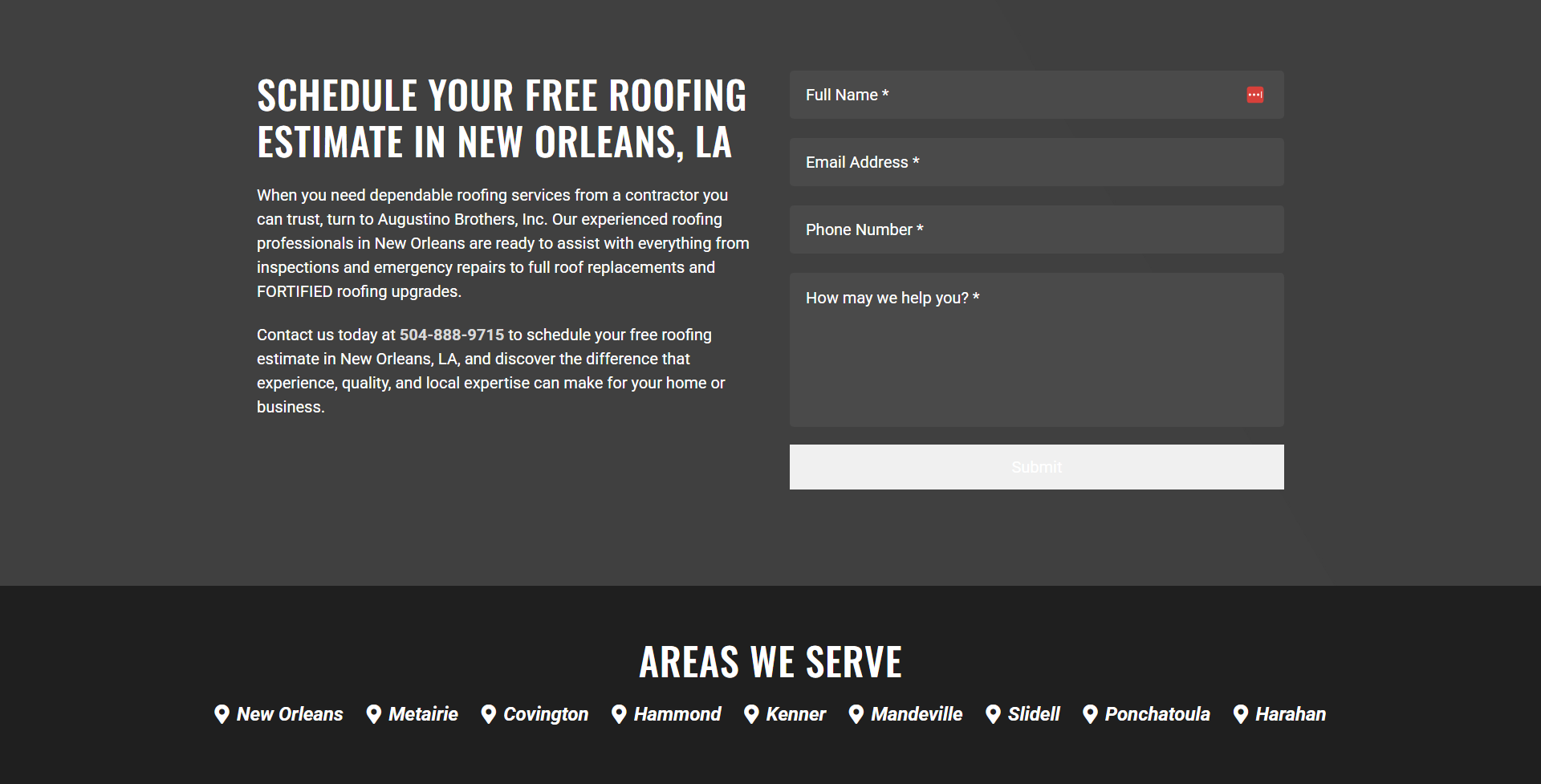
The closing estimate section reuses the site’s typography, dark palette, service context, and form styling so the conversion path feels like part of the reconstructed system.